Everyday budgeting offline; investments and AI online.
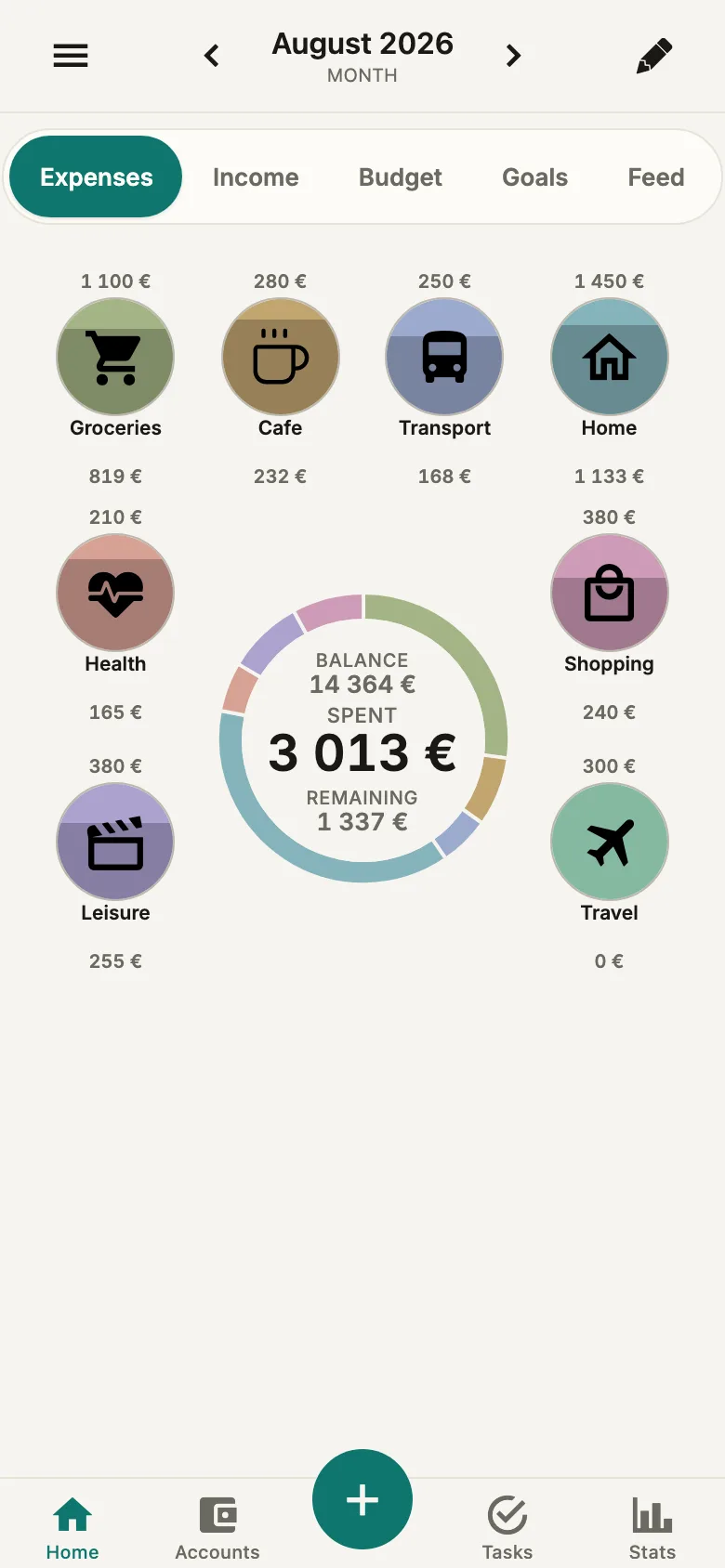
Actual Amon screens with fictional data. Figures illustrate the interface, not an investment strategy or future returns.
Platforms
iOS · Web
Pricing
Free core · Pro from the workspace owner covers its members
Storage
Local data + server sync
Stage
Released · App Store
Shared shopping listNo bank loginFree coreNo adsWorks offlineOn the App Store
How it works
Connect in a minute.
01
Add your accounts
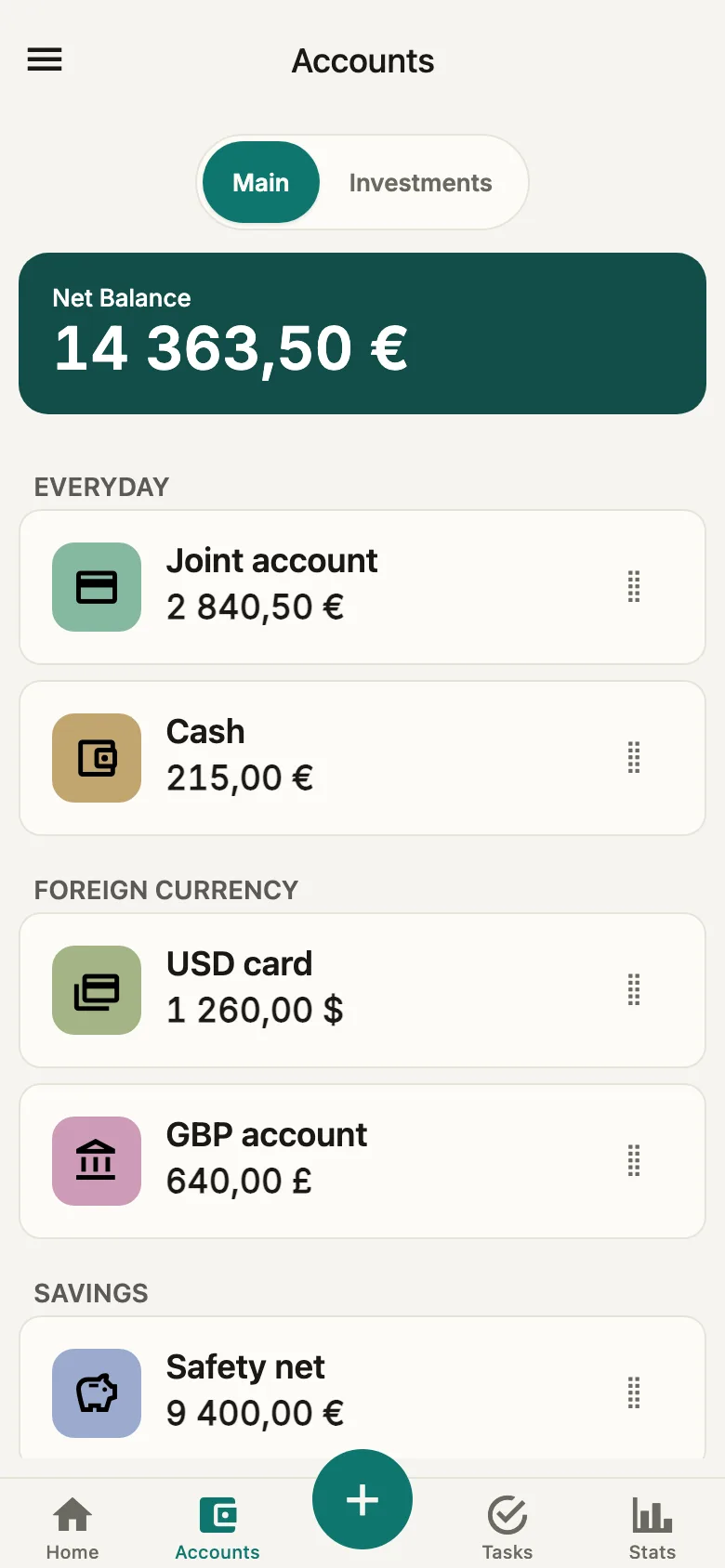
Card, cash, savings — in any currency. Set the starting balance yourself. Bring your history over from 1Money, Spendee, Wallet, Money Lover, Honeydue, YNAB and Monarch Money, or from Revolut, Wise, N26 and Monzo statements.
02
Invite the others
Show them a QR code or send an email invitation. Accounts, categories and budgets become joint, the shared shopping list appears, and each transaction shows who paid.
03
Log transactions
Amount, category, note — five seconds, by hand or by voice. Plan vs actual per category, a safe daily amount, an end-of-month forecast, plus the weekly review and Money Flow in Stats.
Together
You see who paid.
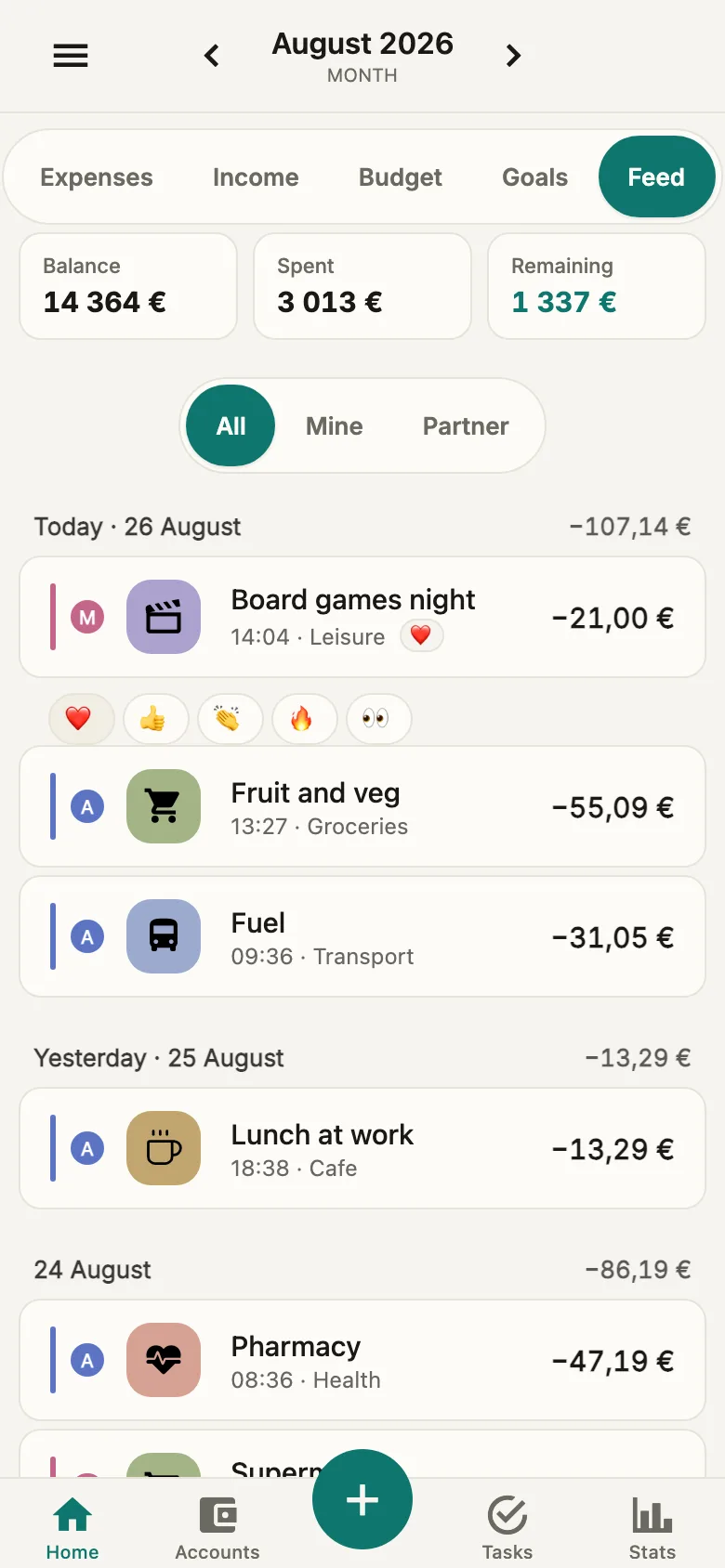
Invite the others — the transaction feed shows who made each purchase: a coloured bar on the left and a small avatar. You can drop a reaction on someone else's expense. Until somebody joins, the feed stays plain — no extra elements.
01 · solo
Lidl
14:32 · Groceries
−42,30 €
Bolt
12:08 · Transport
−8,50 €
Spotify
09:00 · Subscriptions
−12,99 €
02 · together
М
Lidl
14:32 · Groceries · M
−42,30 €
А
Bolt
12:08 · Transport · A
−8,50 €
М
Spotify
09:00 · Subscriptions · M
−12,99 €
Your budget and portfolios, in one place.
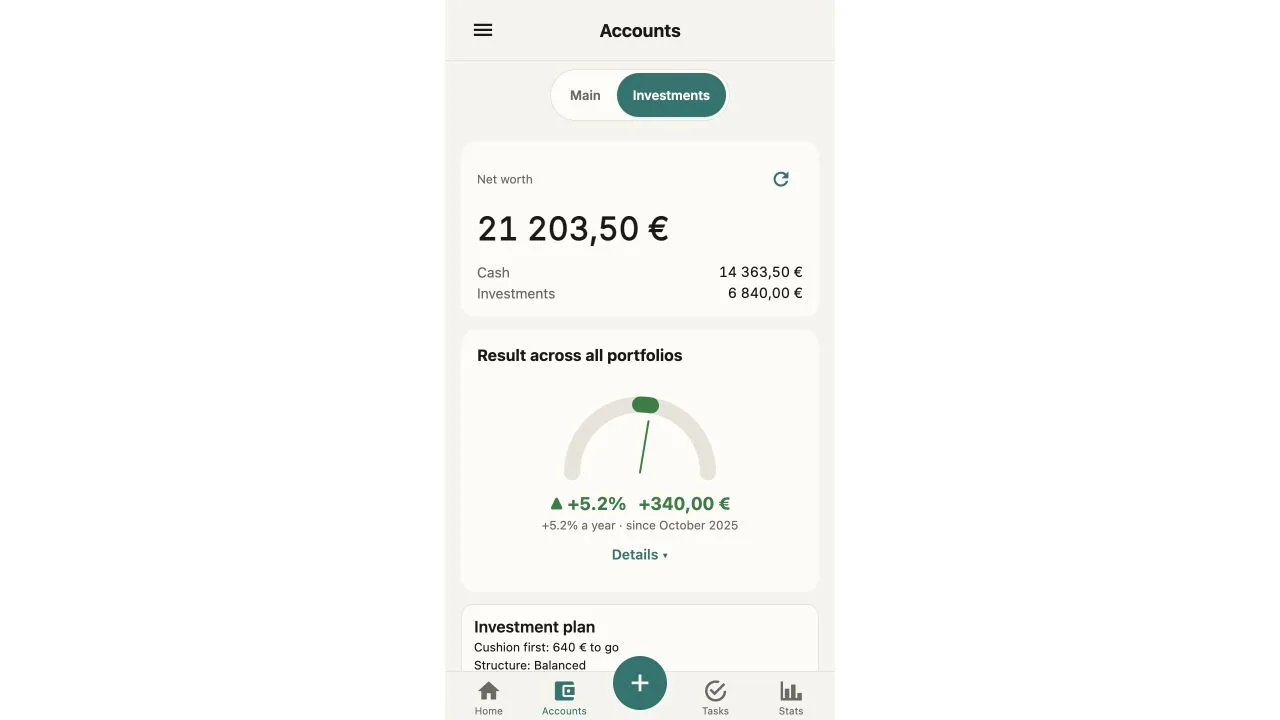
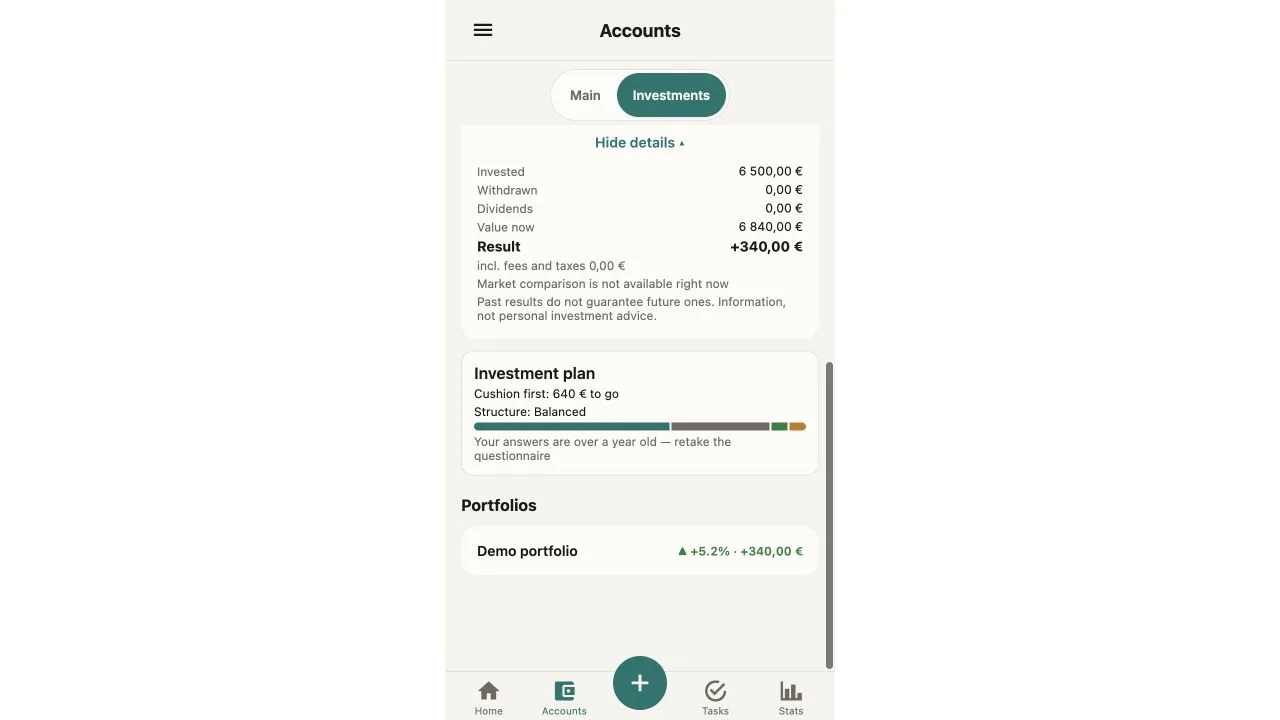
See cash and investments together and understand your portfolio result: annual XIRR, time-weighted return, and dividends and coupons inside the portfolio. Net worth subtracts your debts. Pro adds multiple portfolios, market prices within supported coverage, and allocation and value-history charts.
Overview of cash and investments
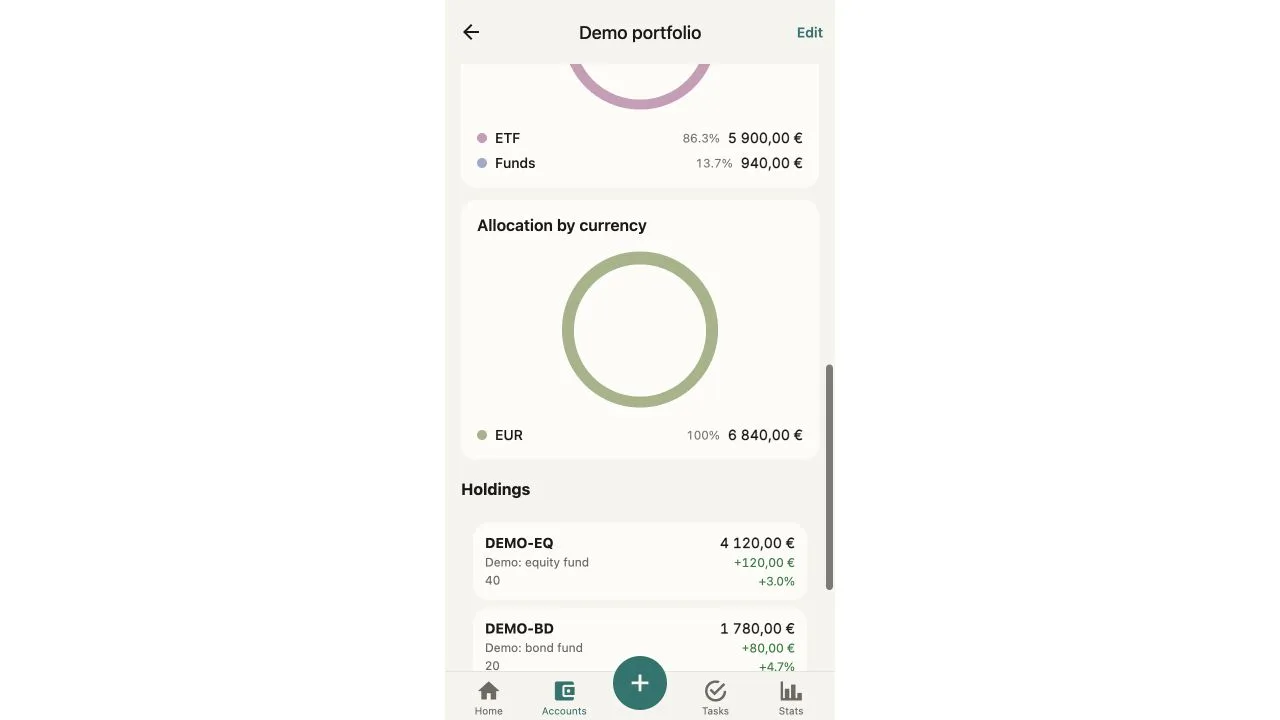
Asset classes and positions
Where the portfolio result comes from
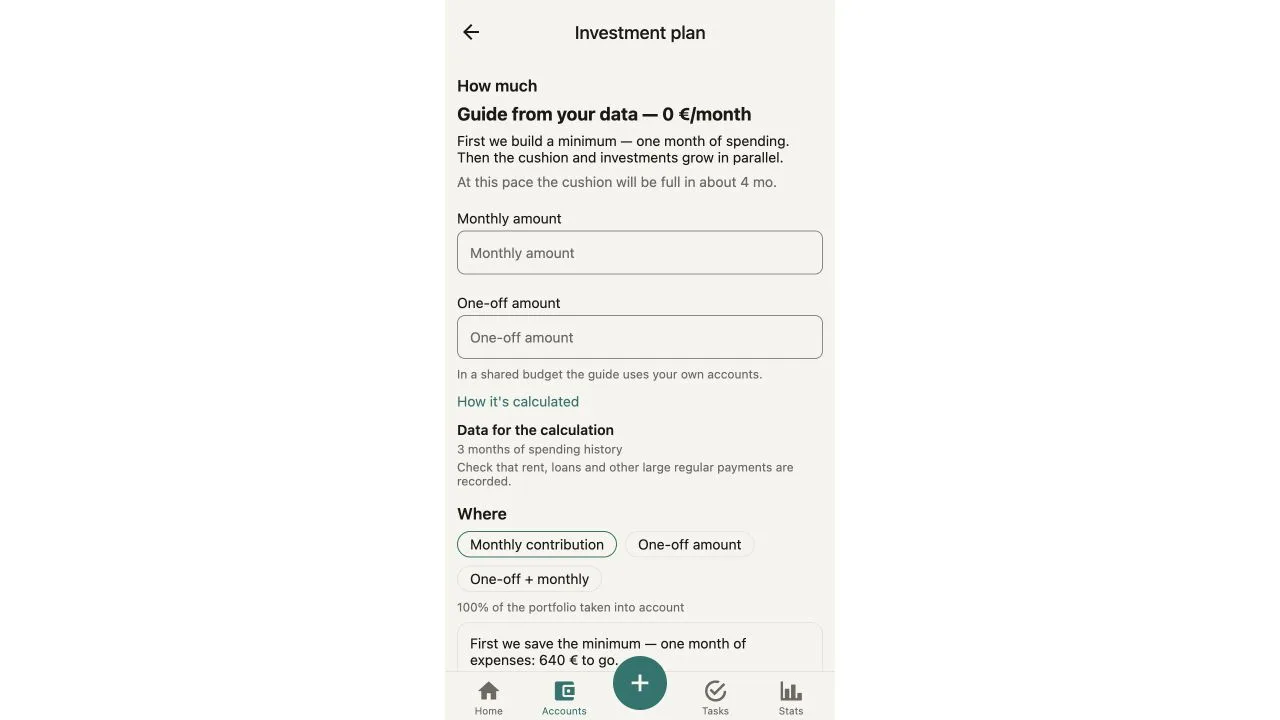
The cushion comes before the contribution
Actual Amon screens with fictional data. Figures illustrate the interface, not an investment strategy or future returns.
Everyday tools and investment tracking in one app. Pro features and tools that need a connection are described below.
Shared shopping list
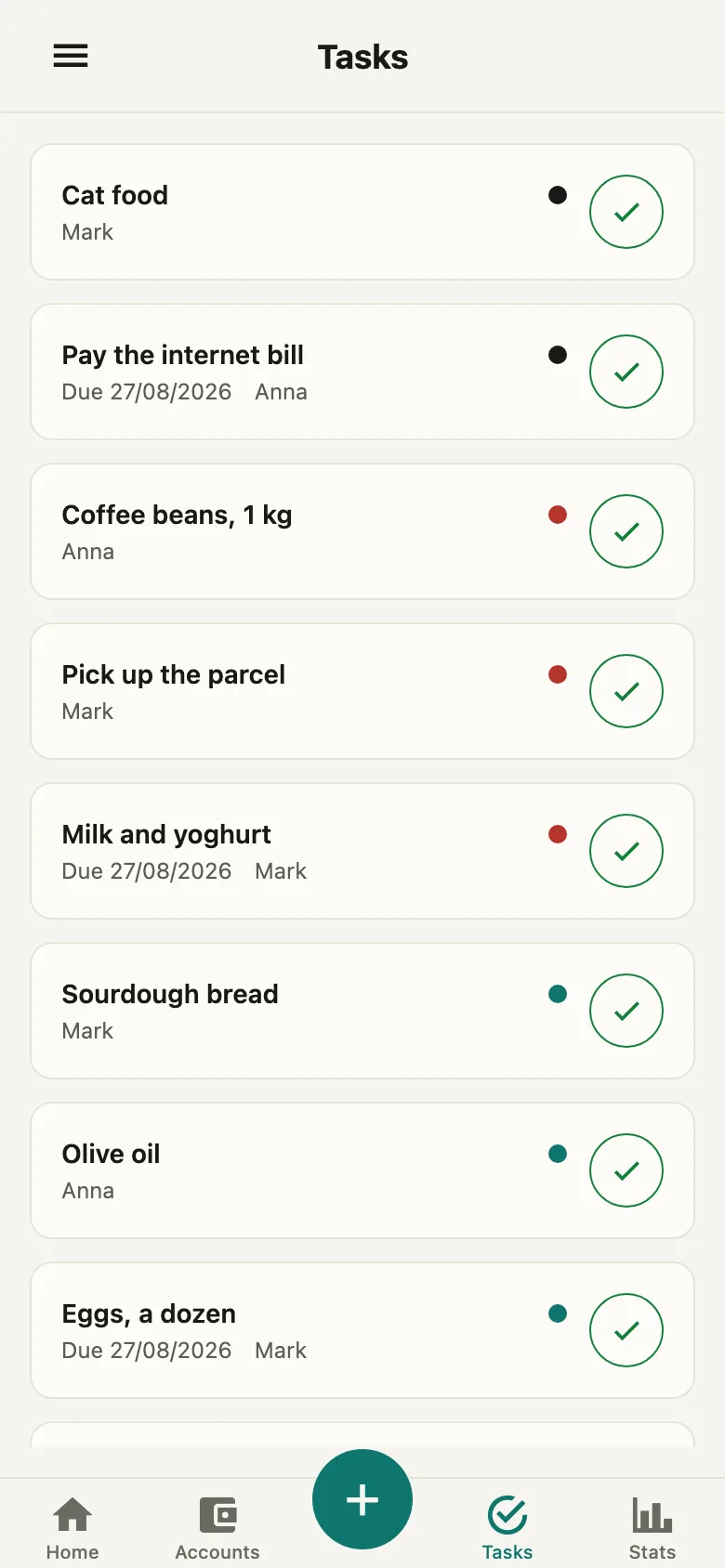
The Tasks tab holds one list for everyone. An item can be assigned to anyone in the group, given a due date and ticked off. At the shop, tap “I'm at the shop” and the others get a notification that you are there — just in time to add the milk. Tasks can be dictated — the mic is the first button. A recurring task moves to its next date, counted from today, once it is done.
Joint budget
One workspace for the whole family. Every purchase in the feed shows its author: a coloured bar on the left and an avatar. You can leave the group at any moment — your data stays with you.
Reactions on each other's expenses
Five reactions — ❤️ 👍 👏 🔥 👀 — on other people's transactions in the feed. A quick "seen it" instead of yet another evening conversation about money.
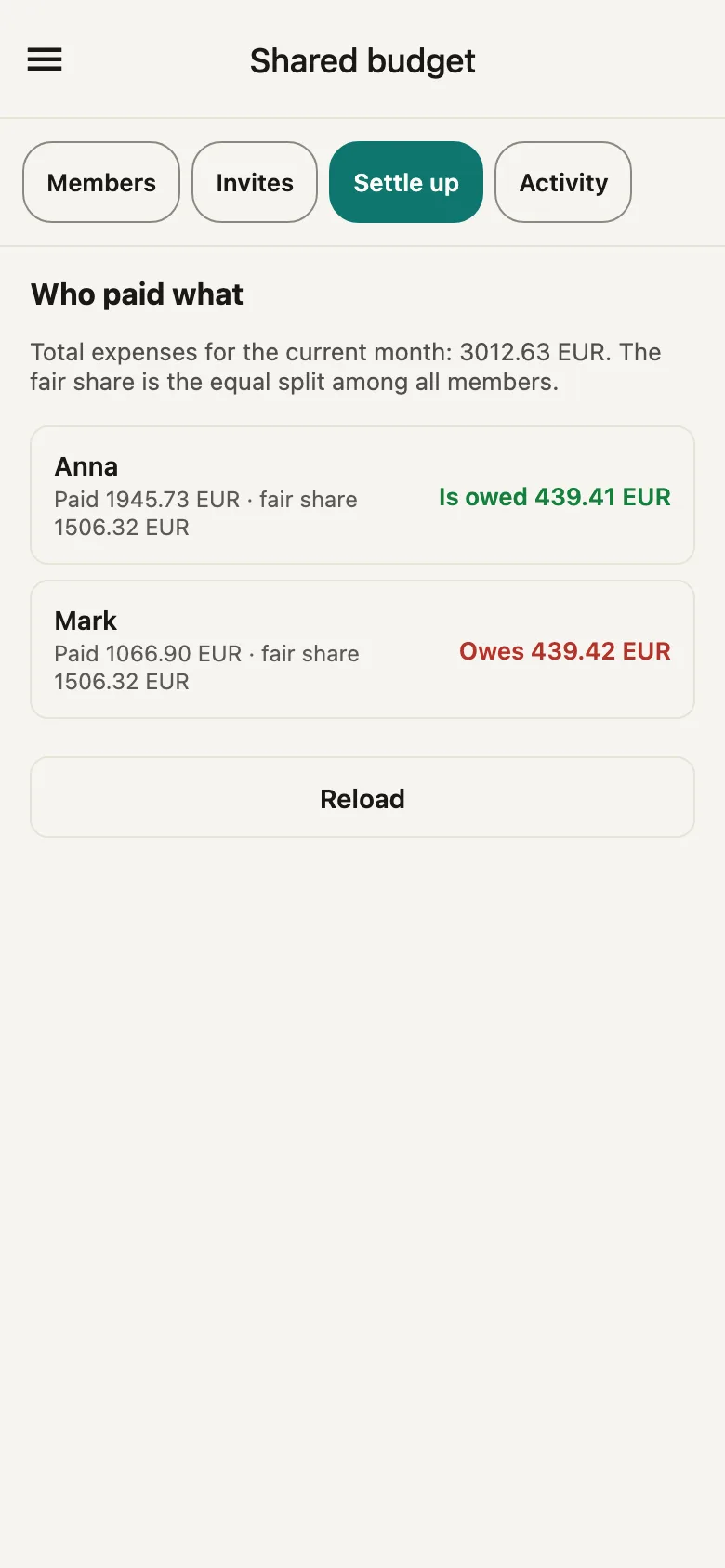
Who paid what
The Settle up screen inside the shared budget: for the current month it shows how much each of you paid, what an equal share would have been, and who is owed or owes how much.
Works offline
Expenses and list items go in without a connection — on a plane, in the metro, in a basement supermarket. They reach everyone else once you are back online.
iOS · Web
iOS and Web are available. Android is not publicly listed on Google Play yet.
Category budgets
Limit per category, progress, end-of-month forecast and a safe daily amount. Overruns are flagged separately.
Multi-currency
Accounts in different currencies, conversion on transfers, rates pulled automatically.
Analytics
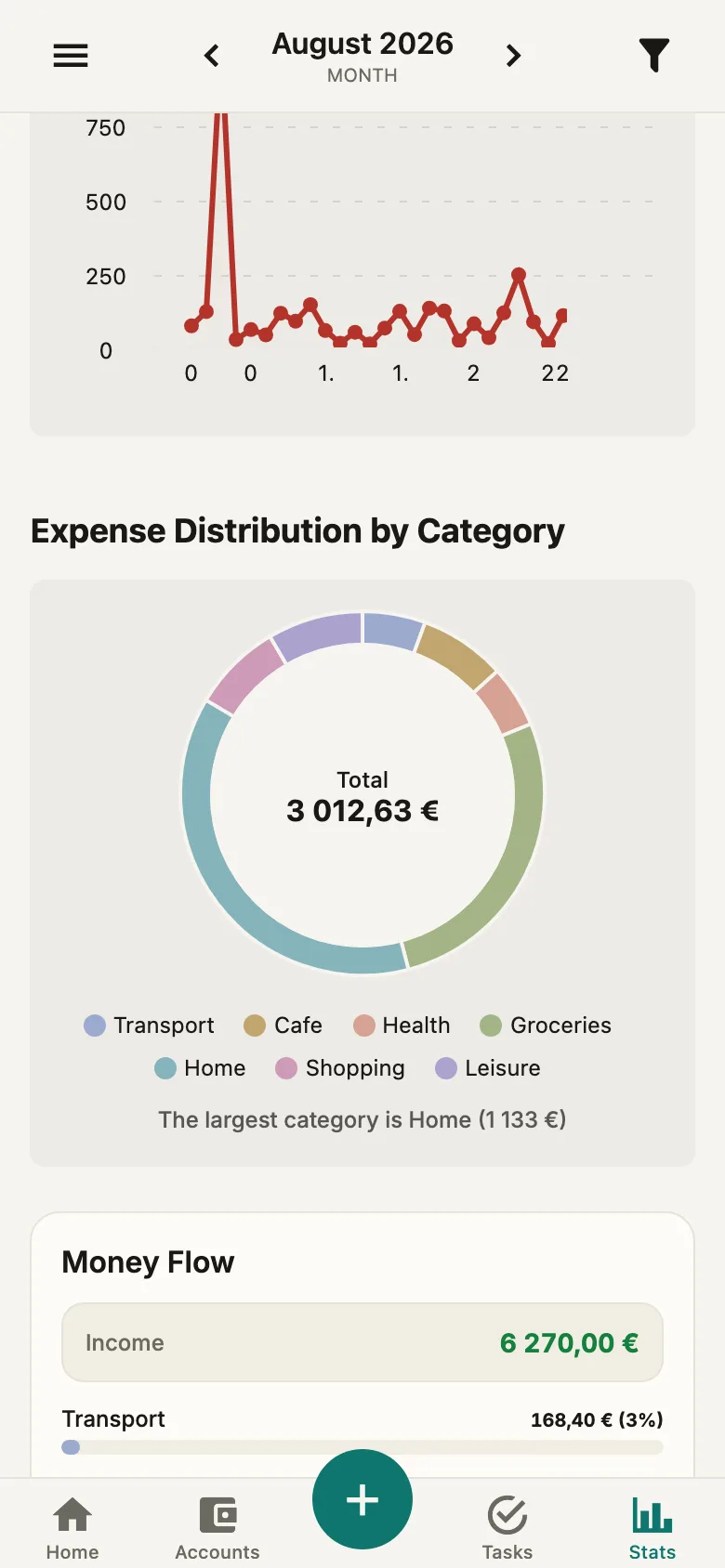
Charts by period, breakdown by category, comparison with the previous period. Linear scale — proportions are real.
Money Flow
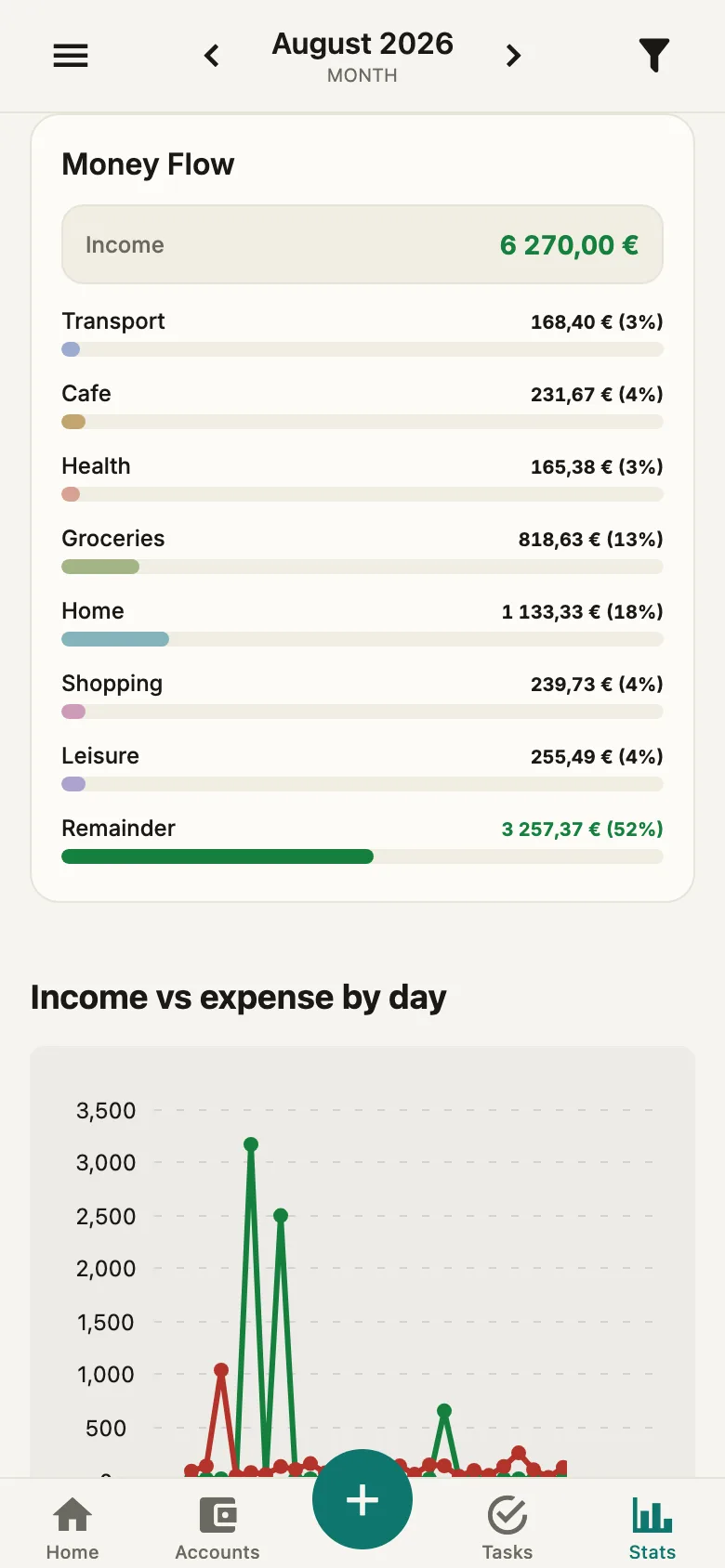
In the Stats tab your income is broken down into expense categories and what is left — you can see where the month went at a glance. If spending outran income, that gets its own line.
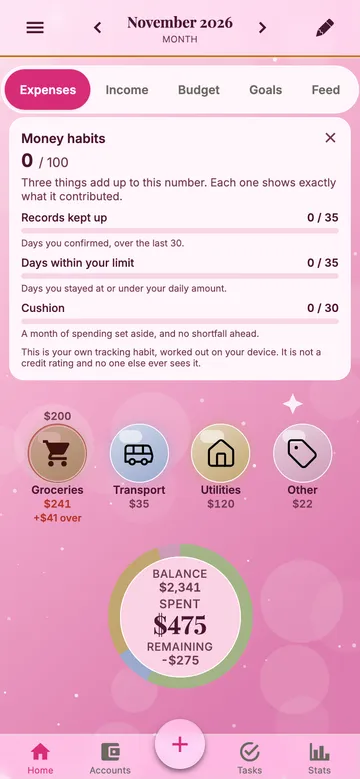
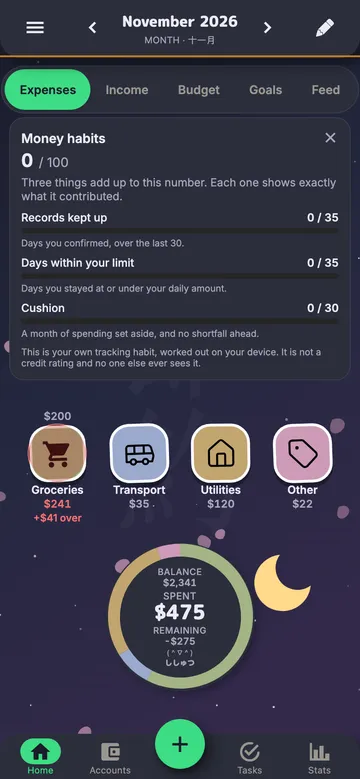
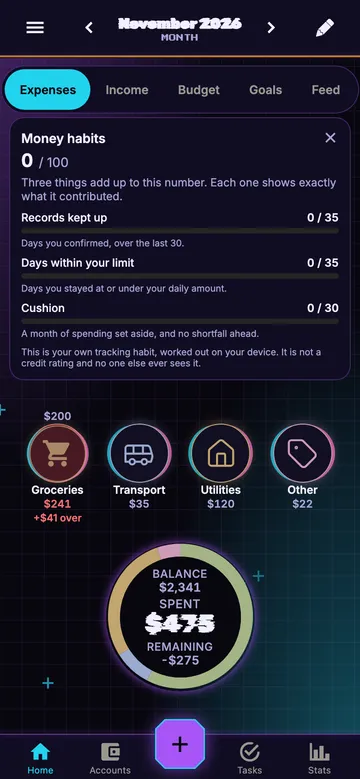
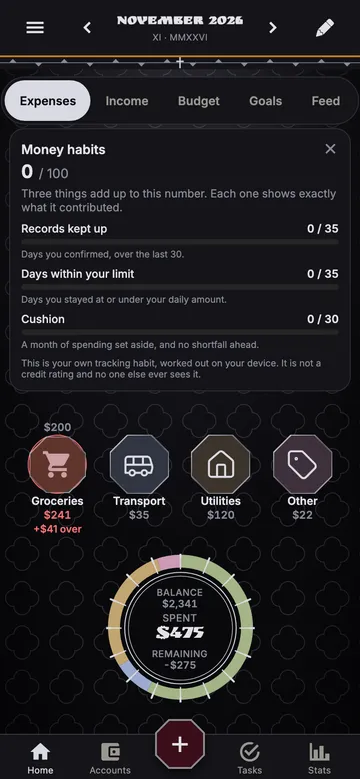
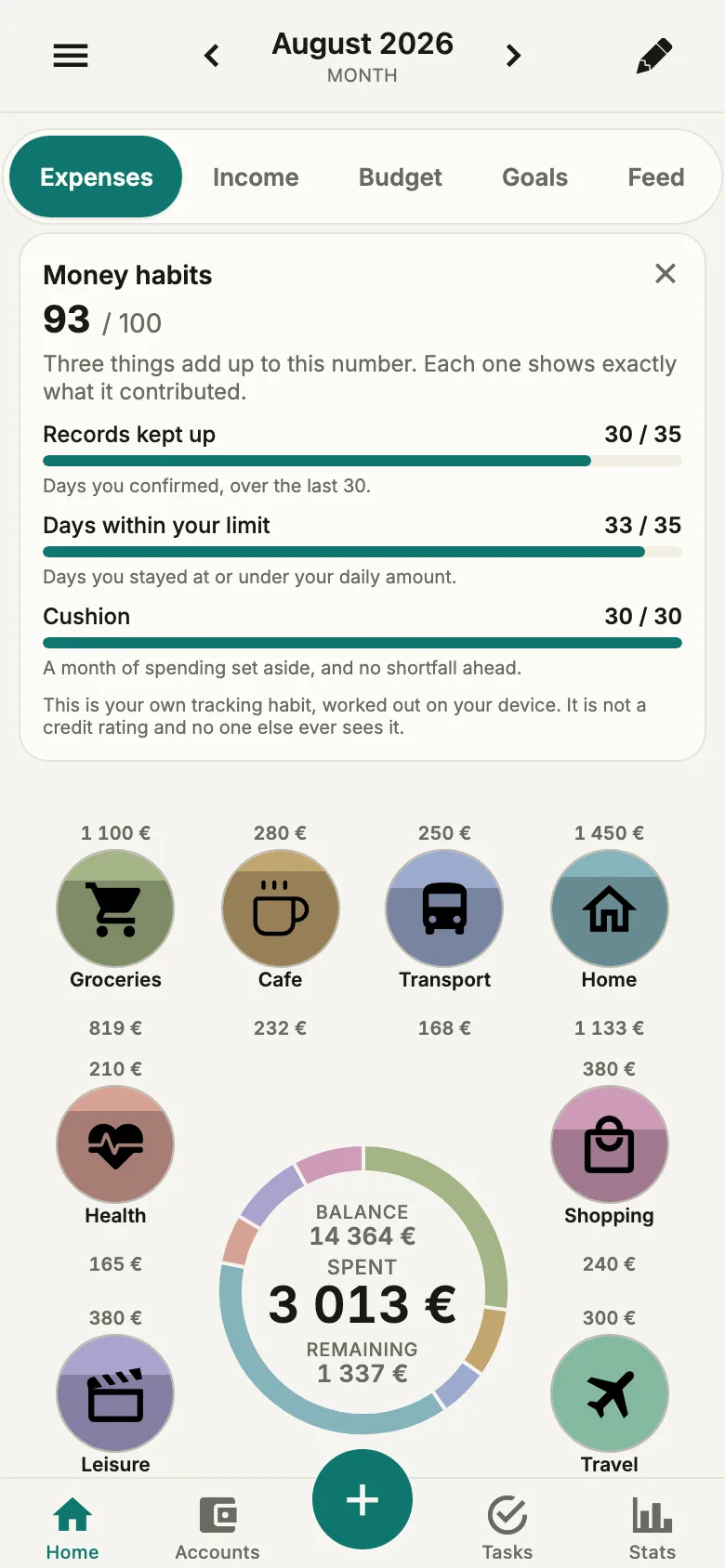
Money habits, 0–100
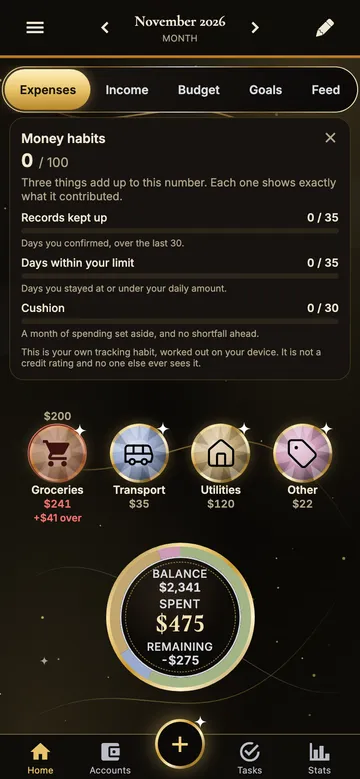
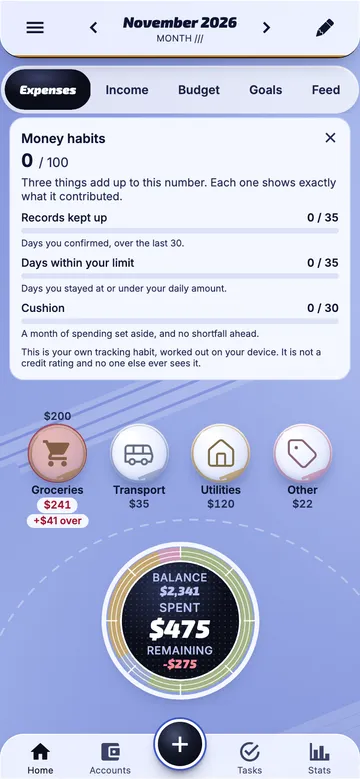
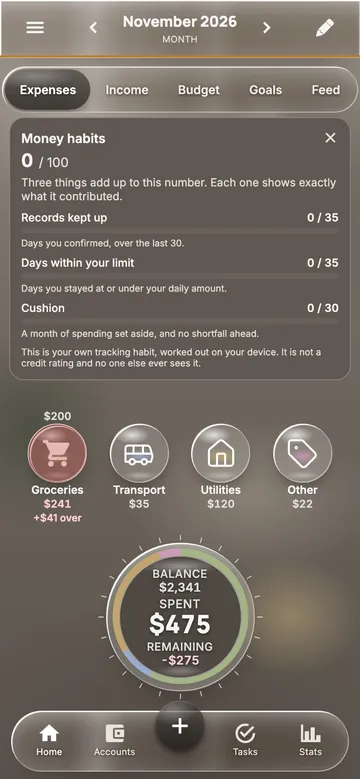
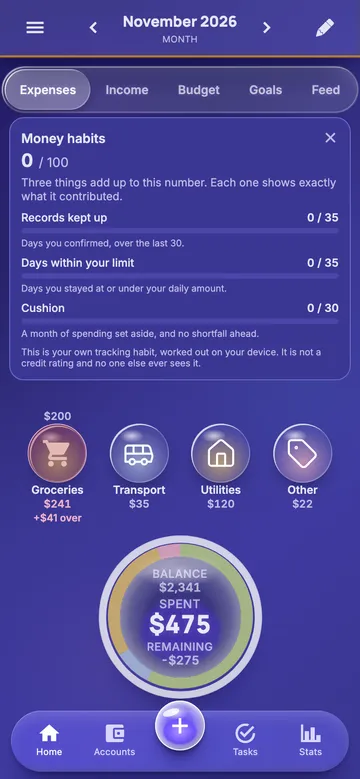
The number is built from three parts: how many days you confirmed over the last month, how many days you stayed within your daily amount, and whether you have a month of spending set aside. Each part shows its own contribution, so you can see what moves the number.
This is not a credit score and not an assessment of you as a borrower. The number is worked out locally inside the app, never leaves it, and nobody but you sees it.
Yesterday's wrap-up
A card on the home screen: what you spent yesterday against your daily limit. Confirm it with one tap or add what you forgot. If yesterday came in under, the surplus can go straight into a savings goal.
Weekly review
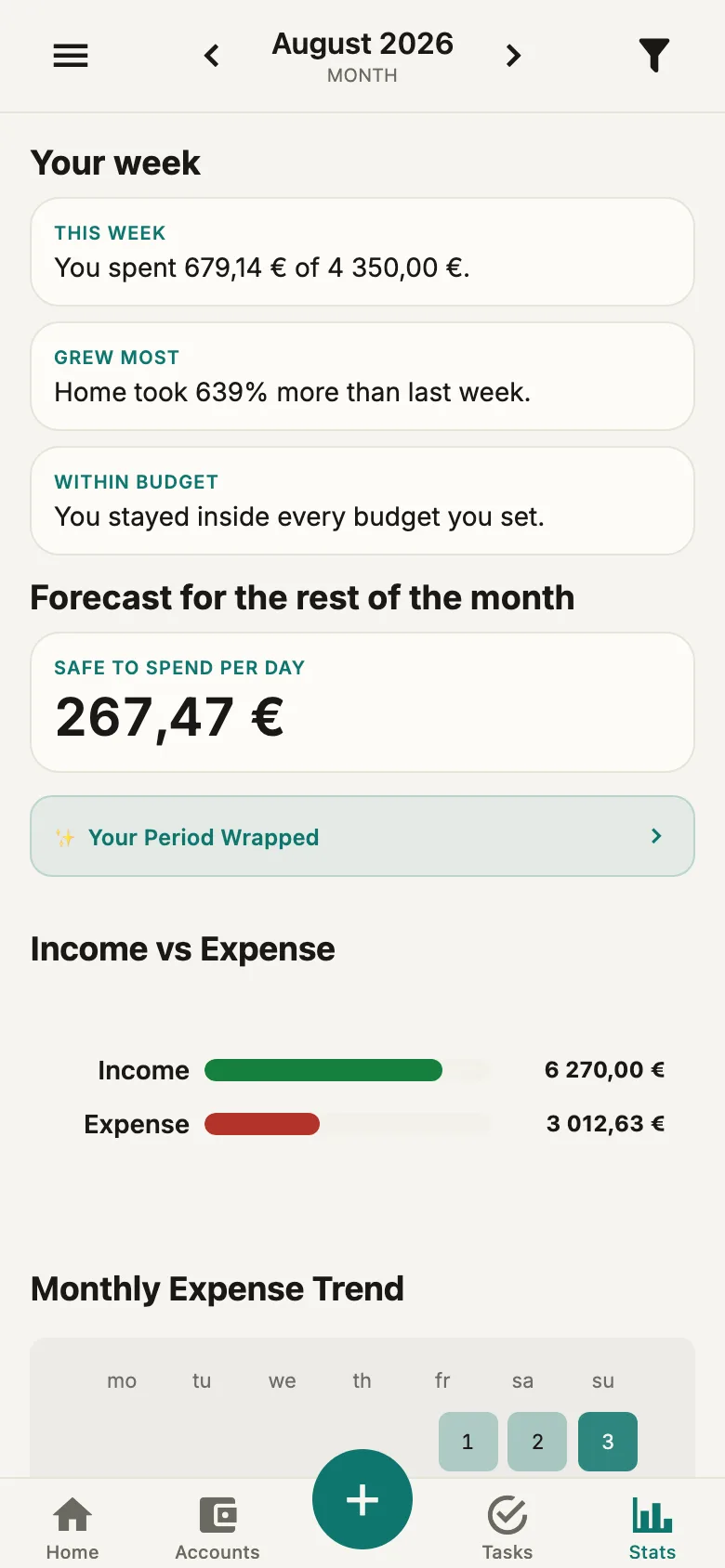
Open Stats and your last seven days show up as cards: how much of the budget you spent, which category grew the most, how many days you spent nothing, the single biggest purchase, and your share of the joint spending.
Financial Wrapped
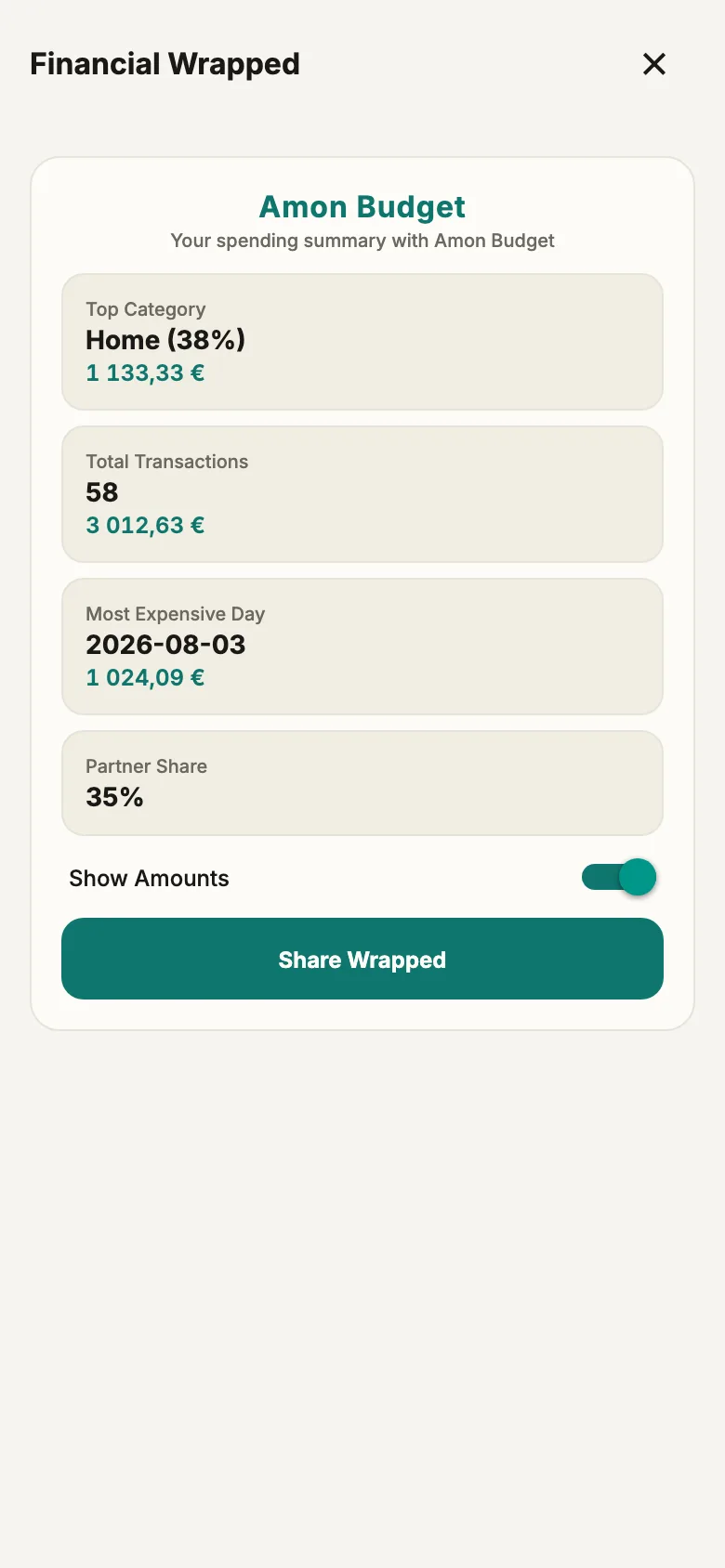
A recap for a day, week, month or year: top category, number of transactions, most expensive day and everyone else's share. Amounts are hidden by default — you can share the recap without showing the figures.
Investments and net worth
Portfolios and holdings across seven asset classes. Returns show the total result, an annual XIRR once the history reaches 90 days, and a time-weighted return; dividends, coupons and taxes count as cash inside the portfolio. Net worth is cash, investments and assets minus debts as one number. Pro adds allocation charts by class and by currency and the value-over-time chart. This section needs an internet connection.
AI drafts, you decide
Say or type “€24 for dinner yesterday” and Amon fills in the transaction for you to check. A receipt photo becomes amount, merchant and date (Pro). Ask Amon answers questions about your spending and shows the data behind the answer. Auto-rules learn from the categories you accept, and AI can prepare a budget limit change as a draft. Nothing is saved until you confirm. AI needs an internet connection.
Debts and cash flow forecast
Loan and credit card terms, payments split into principal, interest and fees, and a repayment schedule that shows what an extra payment changes. Every account is forecast 30, 90 or 180 days ahead with upcoming payments on a calendar, and Amon warns you about a week before a bill your balance won’t cover.
Import from 11 apps and banks
1Money, Spendee, Wallet, Money Lover, Honeydue, YNAB, Monarch Money, and statements from Revolut, Wise, N26 and Monzo. The format is detected automatically, and plain CSV works too. Export is CSV.
A notification budget
A money app that does not bury you in pushes: at most two system notifications a day and at most four about other people's activity. Every category can be switched off on its own.
Apple Watch
Apple Watch is available with the iPhone app on the App Store: budget ring and watch-face complication; logging an expense requires Pro. Wear OS availability is not confirmed.
Pro · Investment plan
From budget to investments.
Not everyone should invest. Everyone should know whether there is money left beyond an emergency cushion. Amon works it out from the budget you already keep.
1
No cushion yet
Amon suggests saving at least one month of spending first, then growing the cushion alongside investments — and shows roughly when it will be full. Useful even if you never plan to invest.
2
Cushion in place, money idle
Amon shows the surplus above the cushion — money that otherwise loses value to inflation on a current account.
3
Already investing
Amon calculates how the next contribution splits across asset classes, following the structure from your questionnaire — no selling involved.
4
Every month
The guide is recalculated from your real budget, with the reason it changed.
Investing apps ask how much you earn. Amon already knows from your budget.
Information, not personal investment advice. Amounts are a guide based on your data. Terms
Data
Your transactions, not our business.
Everyday budgeting is saved locally and syncs through our backend when connected. Investments, fresh exchange rates and AI need a connection. AI requests are processed through our backend by an external model provider. No bank login is requested.
We never ask for your bank login
Amon does not connect to bank accounts and does not hold banking credentials. You add expenses yourself: by hand, by voice, by scanning a receipt or by importing a statement. That is a product position, not a missing feature.
A local database in the app
Transactions, categories, budgets and the shopping list are saved locally and pushed to everyone else and your other devices once the connection is back. Investments, exchange rates and the AI features need an internet connection.
Sync between your devices
Changes are pulled to your devices and everyone else's devices automatically as soon as there is a connection.
Encrypted backups every 6 hours
The server database is backed up four times a day, encrypted with AES-256 and stored in a separate data center in the EU, run by a different hosting provider. Backups are kept for 14 days — and you can export your data to CSV at any time.
No profiling, no ads
Transaction content is stored on our server for sync and the joint budget. We don't use it for ads, profiling or AI training, and we don't sell it. Analysis such as Ask Amon or the weekly review works only for you, inside your account. AI features are optional: when you use one, the text it needs is processed by an external AI service, as described in the privacy policy.
No advertising trackers
No ad SDKs. Analytics — Firebase Analytics in the app (aggregated events, no transaction content) and Google Analytics on this landing by your consent.
Pricing
Free Core. Optional Pro.
Core is free and ad-free. Pro is $4.99 a month on the US App Store; in other countries the store sets the local price. Members inherit Pro from the owner of their shared workspace.
Core
$0 forever
Full-featured local-first expense tracker and shared shopping list.
Unlimited transactions
Voice, text and AI quick add
Multiple accounts & currencies
Budgets and a 30–180-day cash forecast
Shared budget, settle up & 'who paid what'
One investment portfolio with XIRR and TWR returns
Start with the subscription, shared access and connection requirements. Explore the detailed comparisons below; each links to official product information.
What is free and what requires Pro?
Core is free and ad-free. Pro is $4.99 a month on the US App Store; in other countries the store sets the local price. Members inherit Pro from the owner of their shared workspace.
Does each family member need Pro?
No. An active Pro subscription held by the shared workspace owner extends to its members. A member’s own subscription does not automatically upgrade the owner or other members.
What works offline, and where is my data processed?
Everyday budgeting is saved locally and syncs through our backend when connected. Investments, fresh exchange rates and AI need a connection. AI requests are processed through our backend by an external model provider. No bank login is requested.
Screens
How it looks.
Frequent questions
FAQ.
01What is free and what requires Pro?+
Core is free and ad-free. Pro is $4.99 a month on the US App Store; in other countries the store sets the local price. Members inherit Pro from the owner of their shared workspace.
02Does each family member need Pro?+
No. An active Pro subscription held by the shared workspace owner extends to its members. A member’s own subscription does not automatically upgrade the owner or other members.
03Is the investment plan investment advice?+
No. Amon shows a guide based on your own budget and your questionnaire answers; it never names what to buy for you. Information, not personal investment advice.
04Do I need to invest to benefit from it?+
No. First Amon helps you build a cushion; the surplus beyond it is shown only when it exists.
05Do I have to connect a bank?+
No, and that is deliberate: Amon does not connect to bank accounts and does not hold banking credentials. You add expenses yourself — by hand, by voice, by scanning a receipt or by importing a statement.
06How does the shared shopping list work?+
The list lives in the Tasks tab and is shared by everyone in the group. An item can be assigned to the other person, given a due date and ticked off. You can dictate the whole list in one sentence — the app splits it into separate items, shows them as a checklist, and you fix anything before saving. At the shop, tap “I'm at the shop” and the others get a notification so they can add anything they need.
07How do I connect the others?+
In Settings, open “Shared budget”, get a QR code or send an email invitation. Once they confirm, accounts and categories become joint, every transaction shows the author, the shared shopping list appears, and so does the Settle up screen.
08Is “Money habits 0–100” a credit score?+
No. It is not a credit score and not an assessment of you as a borrower. The number is built from three plain parts: how many days you confirmed over the last month, how many days you stayed within your daily amount, and whether you have roughly a month of spending set aside. It is worked out locally inside the app, never leaves it, and nobody but you sees it.
09Where is my data stored?+
Everyday budgeting is saved locally and syncs through our backend when connected. Investments, fresh exchange rates and AI need a connection. AI requests are processed through our backend by an external model provider. No bank login is requested.
10Does it work offline?+
The core does: transactions, categories, budgets and the shopping list are saved locally and pushed to everyone else and your other devices once the connection is back. Investments, exchange rates and the AI features need an internet connection.
11Can I import from another tracker?+
Yes. Imports are supported from 1Money, Spendee, Wallet, Money Lover, Honeydue, YNAB and Monarch Money, plus Revolut, Wise, N26 and Monzo statements — eleven formats, plus plain CSV. The file format is detected automatically. Export is CSV.
12Will the app bury me in notifications?+
No. There is a built-in cap: at most two system notifications a day and at most four about other people's activity. Each category — budget overrun, recurring payments, the weekly digest, shared-group activity — can be switched off on its own.
13Is there an Apple Watch or Wear OS app?+
Apple Watch is available with the iPhone app on the App Store: budget ring and watch-face complication; logging an expense requires Pro. Wear OS availability is not confirmed.
14How do I leave the joint budget?+
Settings → “Leave group” returns you to a private workspace; the others no longer see your new transactions. Your data stays with you.
15What about currencies?+
Accounts can be in different currencies. Transfers between them use rates pulled automatically; without a connection, enter the amount in the account's currency yourself.
16Which platforms?+
iOS and Web are available. Android is not publicly listed on Google Play yet.
Take control of your money in a minute.
Open the web app and add your first expense. When you're ready, invite your family with a QR code — spending and the shopping list come together in one place.